
Advanced ATS CV Optimisation Keywords, layout and formatting that actually scan properly

Amy McGrath • May 14, 2026

Share this article

You spend ages on your CV. You tidy the font, rewrite the bullet points, move sections around and try to make everything sound sharper. Then you apply for a role that looks right for you and hear absolutely nothing back.


That silence can feel personal, but it is not always a sign that you are underqualified. Sometimes the issue is much simpler: your CV was not read properly by the system before a recruiter ever had the chance to look at it.


Applicant Tracking Systems, usually shortened to ATS, are now part of normal online recruitment. They collect applications, extract candidate details, search for keywords and help employers shortlist faster.


The important point is this: your CV now has two audiences. It has to be easy for software to scan, and it still has to sound clear, credible and human when a real person opens it.


This guide walks through the practical bits that matter: layout, formatting, keywords, section headings and the simple checks you can run before sending your next application.

Why ATS Matters More Than Most Candidates Realise


ATS optimisation matters because a lot of online applications are handled by software before they reach a hiring manager. Jobscan reported in April 2026 that 98.4% of Fortune 500 companies use an ATS, which gives a good sense of how standard the technology has become at larger employers.


It is not just corporate giants either. Recruitment agencies, job boards and mid-sized employers often use systems such as Workday, Greenhouse, Taleo, Lever, iCIMS and Indeed. Some are more advanced than others, but the basic problem is the same: if your CV is difficult to parse, the strongest parts of your experience can be missed.


This is why a CV can look polished on your screen and still perform badly online. A lovely two-column design might impress a human reader, but if the ATS pulls the text out in the wrong order, the result can look messy or incomplete inside the employer’s system.

“A good CV is not just written well. It is structured so the right information can be found quickly.”

How ATS Software Actually Reads a CV


Most people think ATS tools simply count keywords. Keywords do matter, but the process starts before that. First, the software has to pull your information out of the document and turn it into a structured candidate profile.


That usually means three things happen behind the scenes:


• Parsing: the system extracts your name, contact details, job titles, employment dates, education, certifications and skills.


• Matching: it compares your CV with the job advert and looks for relevant titles, skills, tools, qualifications and industry language.


• Filtering: recruiters can apply must-have criteria, such as specific qualifications, right to work, location, certifications or minimum experience.


Newer systems can use AI and semantic search, so they are not always as basic as old keyword scanners. Even so, clean formatting still matters. Smarter software still cannot rank information it cannot reliably read.

Quick note: The aim is not to trick the ATS. The aim is to remove avoidable barriers so your real experience has a fair chance of being seen.

The Formatting Rules That Still Matter


This is where CV advice often gets vague. “Keep it clean” is true, but it does not tell you what to change. These are the formatting rules I would check first before sending a CV online.


Use a Single-Column Layout


A single-column layout is still the safest option. Multi-column CVs can look tidy to a human reader, but they often create reading-order problems when the ATS extracts the text.


The risk is that skills, dates, job titles and achievements get pulled into the wrong order. Your CV might look professional as a PDF, then appear scrambled inside the recruiter’s system.


Avoid Tables, Text Boxes and Sidebars


Tables, text boxes and sidebars are common in CV templates, but they are not always reliable for parsing. Some systems handle them well. Others do not. Because you rarely know which system the employer uses, it is safer to keep the structure simple.


Use normal headings, normal paragraphs and normal bullet points. For skills, use a simple list or a short comma-separated line rather than a grid.


Keep Contact Details in the Main Body


Do not place your phone number, email address or LinkedIn URL only inside the Word header or footer. Some parsers ignore header and footer content, which can make your contact details disappear from the extracted candidate profile.


Put your name and contact details at the top of page one as normal body text. Keep it plain: phone, email, LinkedIn URL and location are usually enough.

Quick test: Open your CV in Word and press Ctrl+A. If your contact details do not highlight with the rest of the document, an ATS may not see them either.

Use Standard Section Headings


Creative headings can feel warmer, but they can also confuse software. “My Career Journey” might sound more personal than “Work Experience”, but the ATS may not categorise it correctly.

Use predictable headings, then add personality inside the actual content.

Choose a Safe File Format


Unless the job advert specifically asks for a PDF, a .docx file is usually the safer option for online applications. Word files are widely accepted and tend to parse more cleanly across different systems.

Be careful with CVs built in Canva, Google Slides or image-heavy design tools. They can look brilliant, but the exported file may contain layered text, images or design elements that software struggles to read.


Use Simple Fonts and Normal Bullet Points


Stick to readable fonts such as Arial, Calibri, Aptos, Verdana, Georgia or Times New Roman. Use around 11-12pt for body text, 14-16pt for section headings and a larger bold style for your name.

Avoid icons, rating bars, decorative fonts and emoji-style bullets. A phone icon might look harmless, but it can turn into a strange character or disappear when the file is parsed.


The Keyword Strategy That Actually Works


Formatting helps your CV get read. Keywords help it get found. The strongest ATS-friendly CVs use the job advert as a guide, then weave the right language into the document naturally.


Start With the Job Description


Read the job description and highlight the exact phrases used for skills, tools, qualifications, responsibilities and job titles. If the advert says “content strategy”, use that phrase. If it says “SEO copywriting”, use that phrase too, as long as it genuinely matches your experience.


Also look for repetition. If a requirement appears several times, it is probably important to the recruiter. That phrase should appear somewhere relevant in your CV.


Use the Acronym and the Full Term


Do not assume every system connects an acronym with the full phrase. A CV can include both “SEO” and “Search Engine Optimisation”, or both “CRM” and “Customer Relationship Management”.

This helps because one recruiter might search for the acronym, while another searches for the full phrase.


Make the Professional Summary Work Harder


The professional summary is one of the most useful places for role-specific keywords because it sits right at the top of the CV. It should quickly explain what you do, who you help and which strengths are most relevant to the role.

ATS-friendly summary example: SEO Content Strategist with 3+ years of experience creating search-led website content, CV content and ad copy for service businesses. Skilled in keyword research, ATS CV optimisation, on-page SEO, landing page copy, product descriptions and clear, conversion-focused writing.

Build a Dedicated Skills Section


A skills section gives the ATS and the recruiter a quick way to see the strongest matches. Keep it relevant and organised. Do not fill the space with empty phrases such as “hard worker” or “team player”.


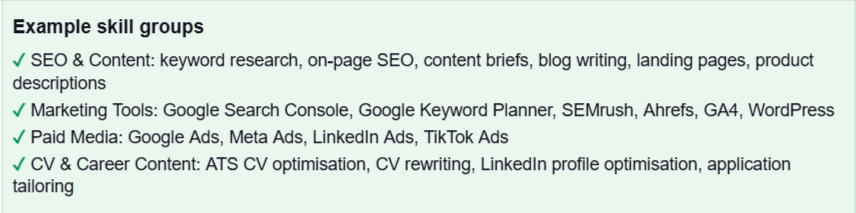
Group related skills so the section is easy to scan:

Do Not Keyword-Stuff


Keyword stuffing is where a CV starts sounding like it was written for a search engine instead of a person. It can make the document awkward to read, and it does not help once a recruiter opens it.


Jobscan recommends aiming for a strong match rate, commonly around 75% or higher, but also warns against over-optimising to the point where the CV becomes unrealistic. The goal is relevance, not repetition.

The best CVs sound human, but they are structured with enough keyword discipline to be found.”

These are the avoidable issues I would check before sending a CV online:


• Contact details placed only in the header or footer: move them into the main body at the top of page one.


• Two-column layouts or sidebars: rebuild the CV as a single-column document.


• Tables used to align dates and job titles: use normal paragraphs and keep the reading order obvious.


• Creative section headings: use standard labels such as Work Experience, Skills and Education.


• Canva or image-heavy templates: keep a plain Word version for online applications.


• Inconsistent date formats: choose one format and use it throughout, such as Mar 2022 - Present.


• Icons, graphics and skill bars: replace them with clear words and evidence.


• A generic CV used for every application: tailor the summary, skills and strongest bullet points to each role.


The Human Reader Still Matters


ATS optimisation is only the first gate. Once your CV clears the system, a recruiter or hiring manager still has to read it. That means your bullet points need substance, not just keywords.


Strong CV content explains what you did, what changed and why it mattered. Numbers help when you have them: revenue, rankings, traffic, conversion rates, savings, team sizes, workloads or response times.


Compare these two examples:

The second version still reads naturally, but it gives both the ATS and the recruiter more useful information.


A Simple ATS CV Audit Checklist


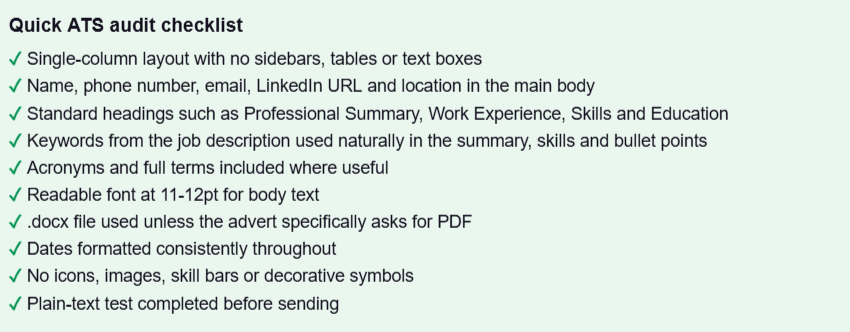
Before submitting your next application, run through this quick check:

Plain-text test: Paste your CV into Notepad or another basic text editor. If the order is messy, sections are missing or details appear in strange places, the ATS may see the same problem.

Final Thoughts


ATS optimisation is not about gaming the system. It is about making sure the system can see your value in the first place.


A strong CV should be clean, direct and tailored. It should include the right keywords, but it should still sound like a real person with real experience. It should be simple enough for software to process and strong enough for a recruiter to keep reading.


You do not need a flashy layout to stand out. You need a CV that is clear, relevant, evidence-led and easy to understand from the first line to the last.

Want a CV That Is Already ATS-Ready?


Stop guessing and start applying with a CV that is built properly from the start.

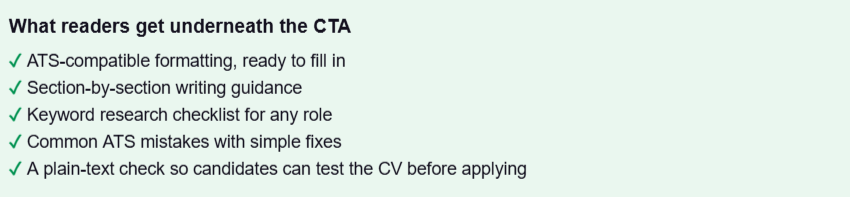
Download the free ATS CV Template & Keyword Checklist, or get in touch if you want your current CV reviewed, rewritten and tailored for the roles you actually want.

Get the free ATS CV Template or request a CV review: www.amymcgrath.co


Recent Posts

By Amy McGrath May 19, 2026
High CTR Hooks, Offer Clarity, Pain Points, Creative Testing and Prompts That Actually Work Here's the uncomfortable reality of running paid ads right now. Everyone has access to AI . Everyone is using it to write copy. And because everyone is using the same tools, trained on the same data, fed the same generic prompts — the ads flooding every feed are starting to sound identical. Same hooks. Same structure. Same 'Are you tired of [problem]? Introducing [solution].' Same energy. Same wallpaper. Which, if you think about it, is actually good news for anyone willing to put a bit more thought in. AI hasn't made great ad copy obsolete. It's made lazy ad copy invisible. The bar for stopping the scroll has gone up, not down — and the brands that understand that are cleaning up while everyone else wonders why their CPMs keep climbing and their CTRs keep sinking. This is about writing ad copy that cuts through. The hooks, the offer framing, the pain points, the testing frameworks, and how to use AI as a proper creative tool rather than a glorified copy-paste machine.
By Anthony McGrath May 19, 2026
Let's be blunt about something. There's probably a version of your product page sitting right now at a decent ranking, getting reasonable traffic, and quietly bleeding sales because the copy is doing absolutely nothing. Not bad copy, necessarily. Just... copy. Words that exist. Manufacturer descriptions rephrased slightly. Dimensions listed. Stuff in a bullet list that nobody asked for. The hard truth is that most ecommerce businesses put enormous effort into getting people to the product page — ads, SEO, influencers , the lot — and then hand them a description that reads like it was written for a stock database. And then wonder why the conversion rate is stuck at 1.8%. Product description optimisation isn't really about writing. It's about removing every possible reason someone might not buy. Handle the objections. Build the trust. Make the decision feel easy. Do all of that while keeping Google happy, and you've got a page that works around the clock without you having to touch it. Here's how that actually looks in practice.

By Amy McGrath May 19, 2026
What Actually Brings Clicks, Leads, and Trust Most people treat SEO like a numbers game. Chase the keyword, hit the word count, grab the ranking, done. But here's the uncomfortable truth: a page can sit at position one and still fail completely. No clicks. No leads. No trust built. Just a metric that looks good in a report nobody reads twice. Real SEO content does three things at once — it earns the ranking, compels the click, and converts the reader into someone who actually does something. Getting all three right requires a different way of thinking about content from the very start. This is that guide.
By Amy McGrath May 13, 2026
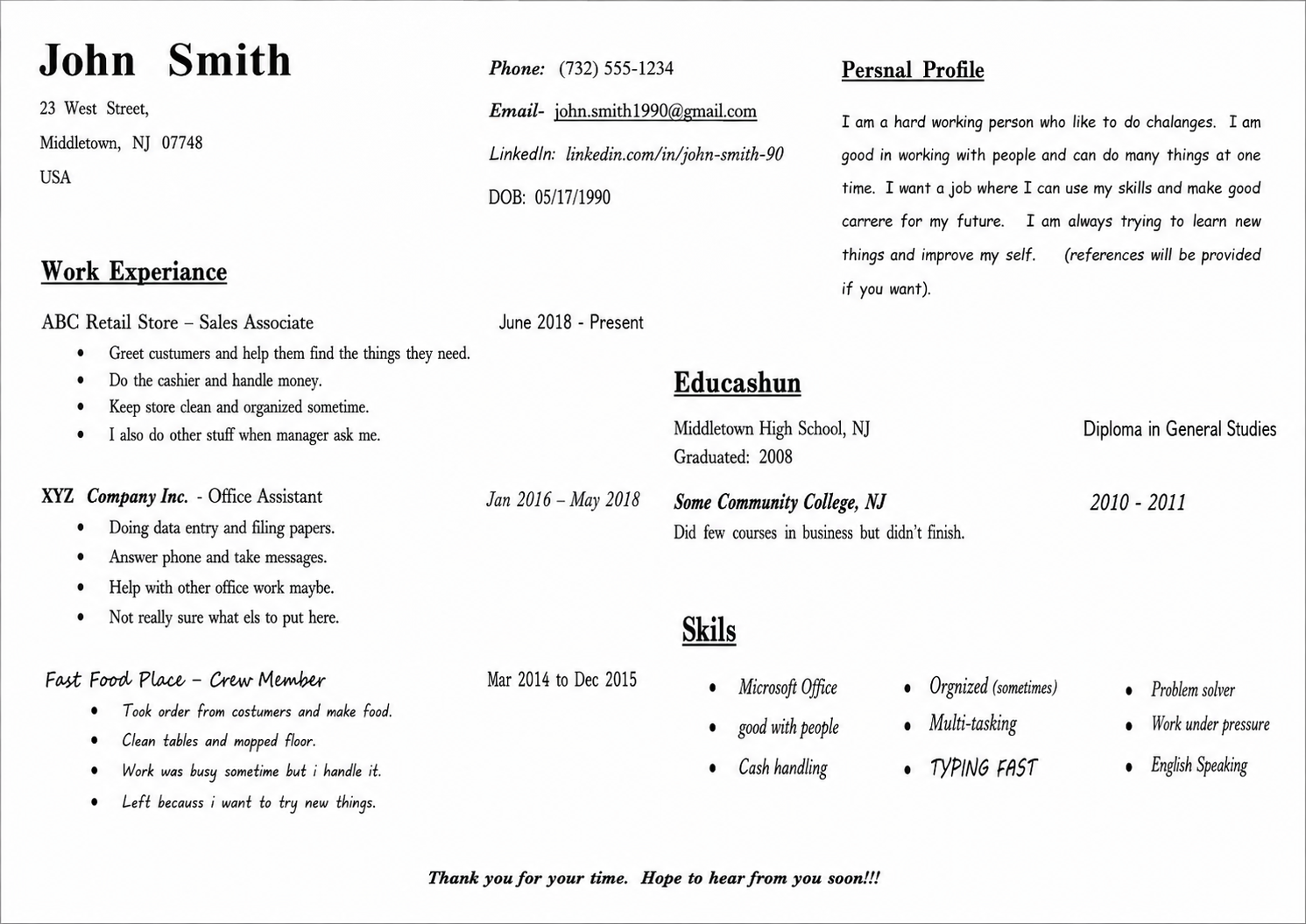
You've spent years building skills, climbing ladders, and collecting achievements. Then you condense it all into two pages — and hear nothing. That silence is the most common experience in modern job searching. According to Forbes, less than 3% of submitted CVs result in an interview. The problem, more often than not, isn't who you are. It's how your CV presents you. Here are 15 evidence-based fixes that make the difference.

By Amy McGrath May 8, 2026
Getting people to visit your website is only the first step. The real growth comes from what happens next: do they remember you, trust you, come back, sign up, enquire, buy, or recommend you?  Website traffic is valuable, but repeat attention is more valuable . A visitor who returns three, four or five times is far more likely to become a customer than someone who lands once and disappears. That is why smart brands build systems to keep in touch with visitors after the first click.

By Anthony McGrath May 8, 2026
Writing blog posts that increase site traffic is not about filling a page with keywords and hoping Google notices. Strong blog content works because it answers a real question, gives useful detail, and makes the reader want to stay, click, save, share, or enquire. Google describes good SEO as helping search engines understand your content while helping users decide whether they should visit your site. That means your blog post needs to serve both sides: the person reading it and the search engine trying to understand it.